thingsHub 4.7 - Highlights
Discover the new features of thingsHub: remote monitoring, advanced customization options, and improved user experience.
We are pleased to announce the official release of the latest version of thingsHub.
Highlights & Updates of the new version:
- DEVICE ACTIONS
- DEVICE AUTOMATIONS
- BULK DEVICE CONFIGURATION
- IMPROVED BULK IMPORT
- ASSET TRACKING
- LORIOT NETWORK CONNECTOR
- USER MANAGEMENT & PLATFORM ADMINISTRATION
DEVICE ACTIONS
Switch ventilation systems, hall lighting, pumps, and other equipment on and off via LoRaWAN devices. With thingsHub Actions, this is as easy as getting a coffee from the coffee machine.
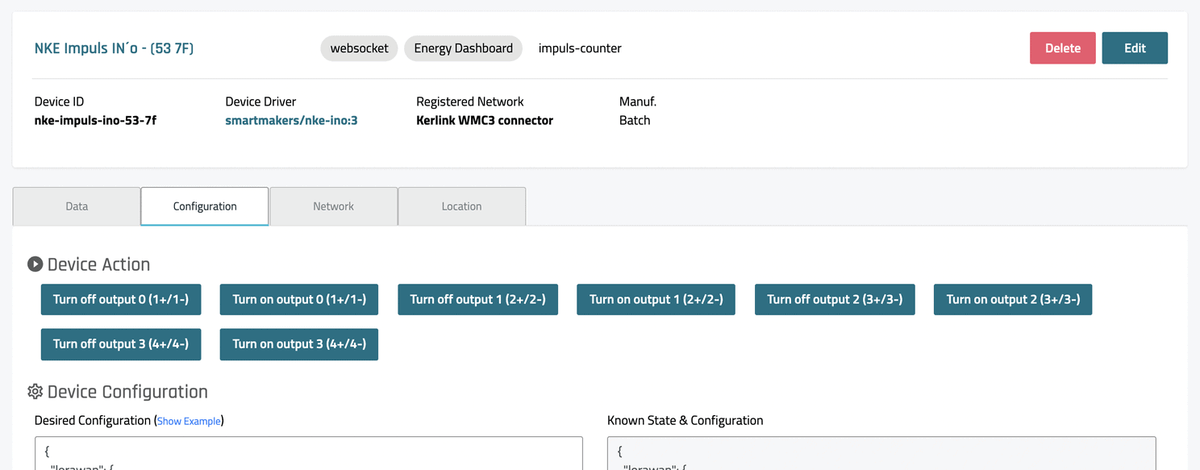
On the configuration tab of devices offering such functionalities, you will now find one or more "Action" buttons. Clicking one of these buttons sends the corresponding control command to the LoRaWAN device. Depending on its configuration, this will be executed immediately (Class C device) or with the next message (Class A).
DEVICE AUTOMATIONS
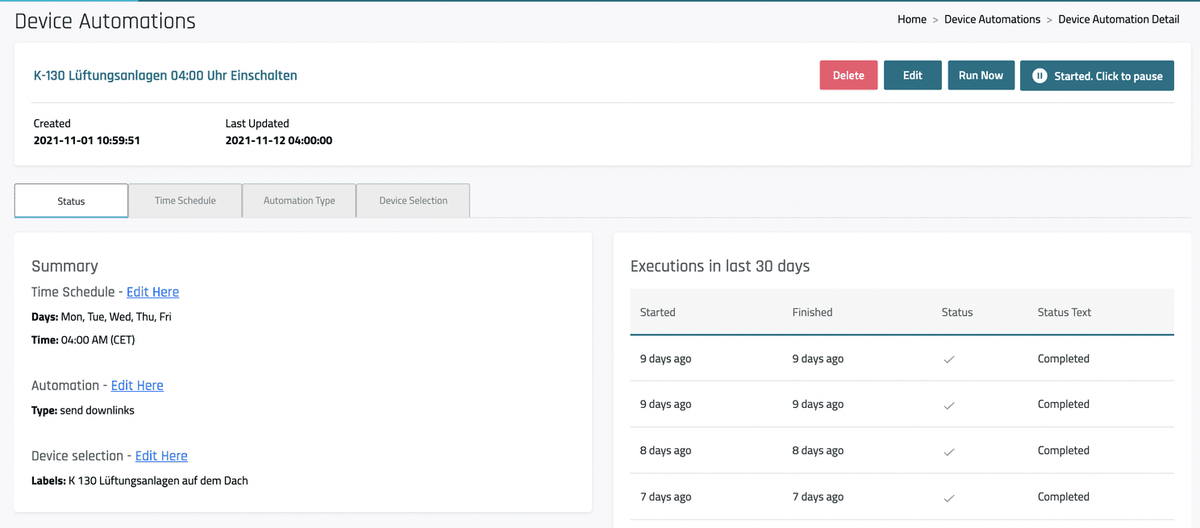
Performing the same tasks daily or weekly takes a lot of time and energy. ThingsHub Device Automations free you from this burden. Set up Device Automation tasks to send a command or change the configuration of your LoRaWAN device fleet daily or weekly. You can set the exact time and select via labels which devices the command should be sent to. In the current implementation, only sending up to five downlinks is supported. In the next thingsHub releases, executing Device Actions or changing device configurations will be added.
BULK DEVICE CONFIGURATION
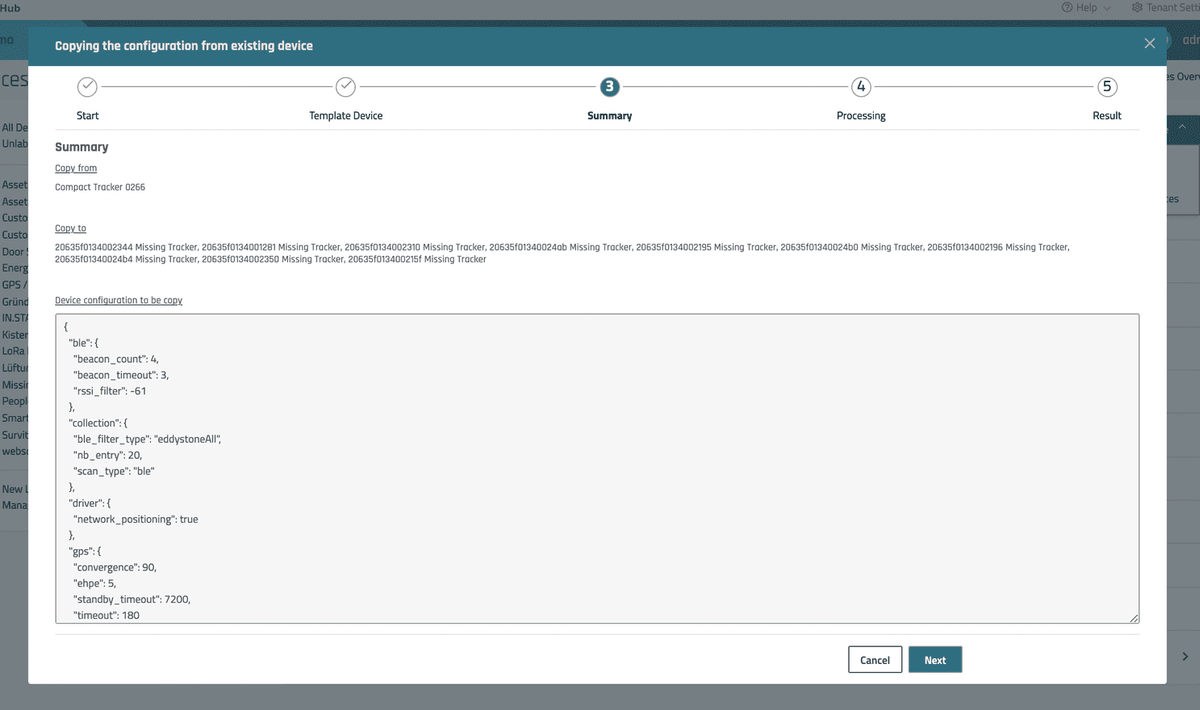
Configure hundreds of LoRaWAN end devices with just four clicks. Using the new bulk editing function "Configuration", a device can be selected as a template to transfer its configuration to any other devices. Select the devices to be configured and click "Configuration". The wizard will then guide you through the process.
IMPROVED BULK IMPORT
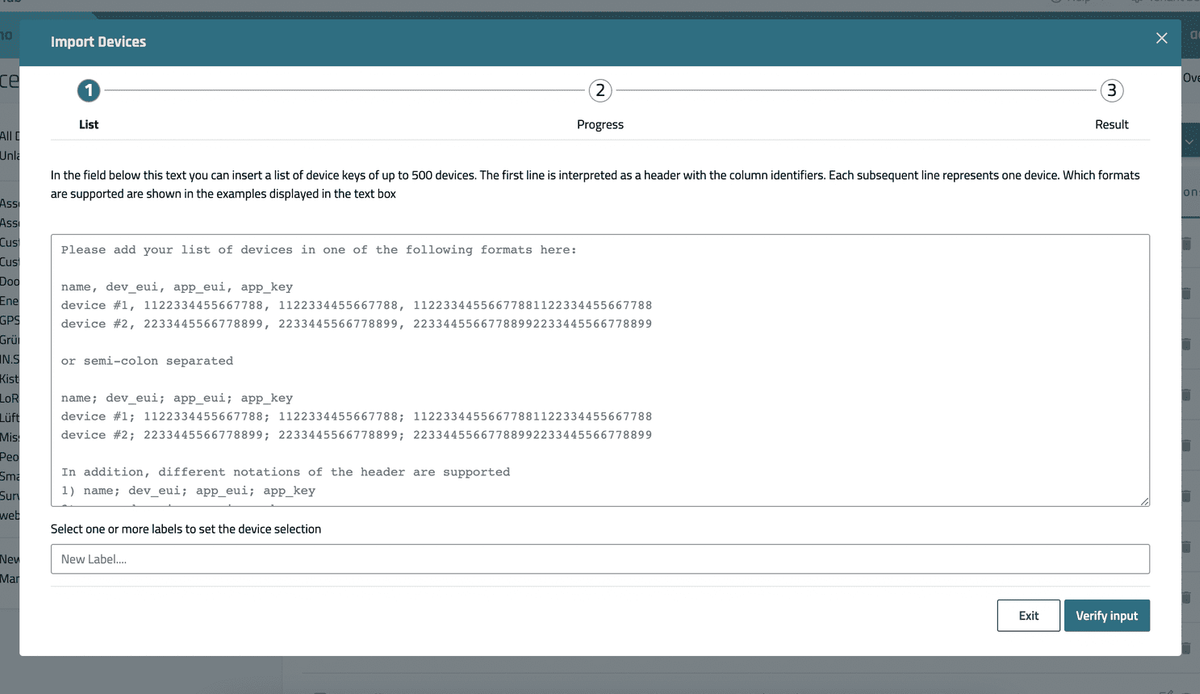
To improve the import of large quantities of LoRaWAN devices, the Bulk Import Wizard has been revised. The displayed help text now shows examples for all supported CSV formats and allows comma and semicolon-separated values. Furthermore, a label can be specified under which the devices can be found after import.
ASSET TRACKING
Google Maps
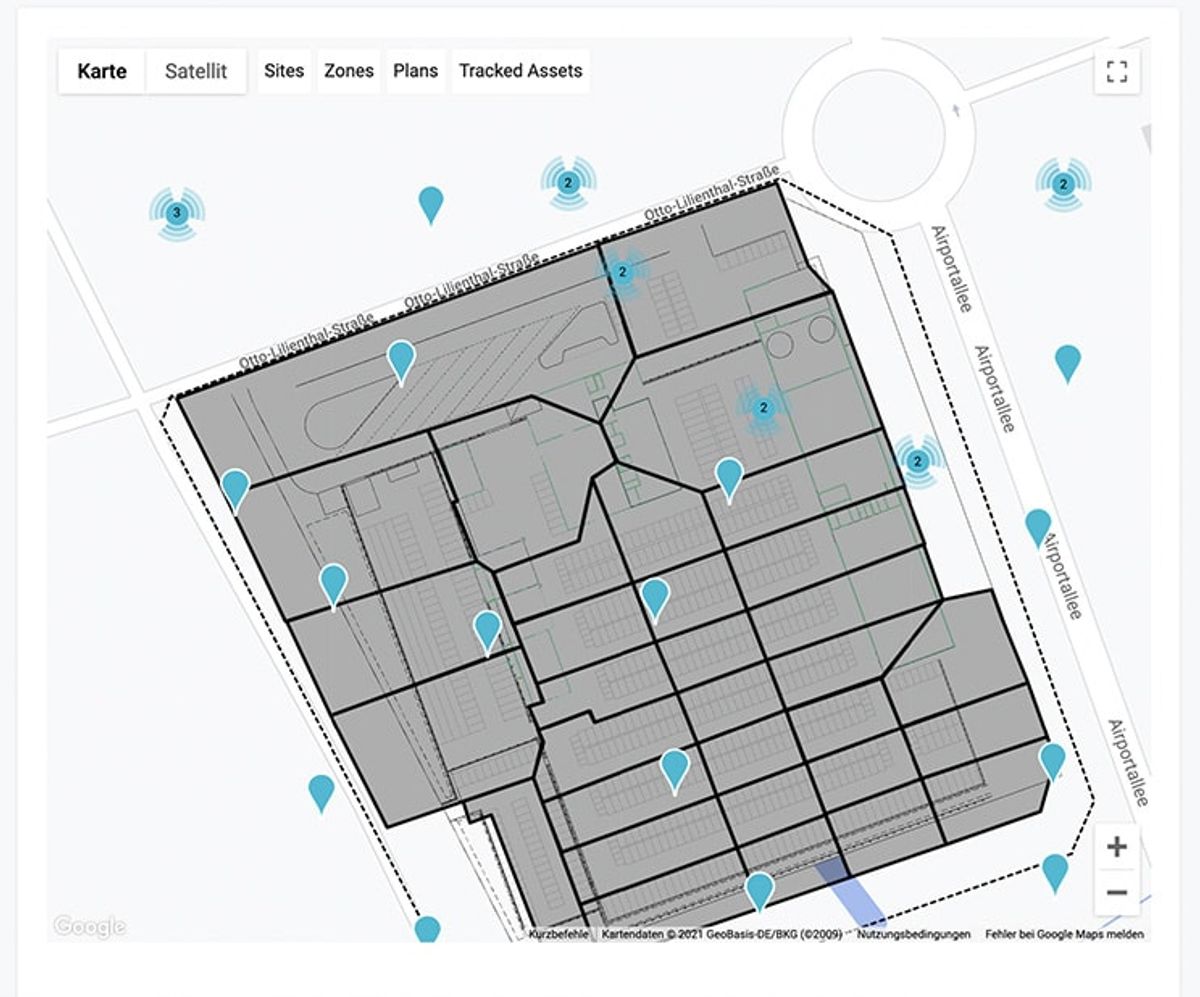
The Google Maps map display has been completely revised. Sites, zones, and floor plans are now displayed in all views and can be turned on and off.
Assets Meta Data
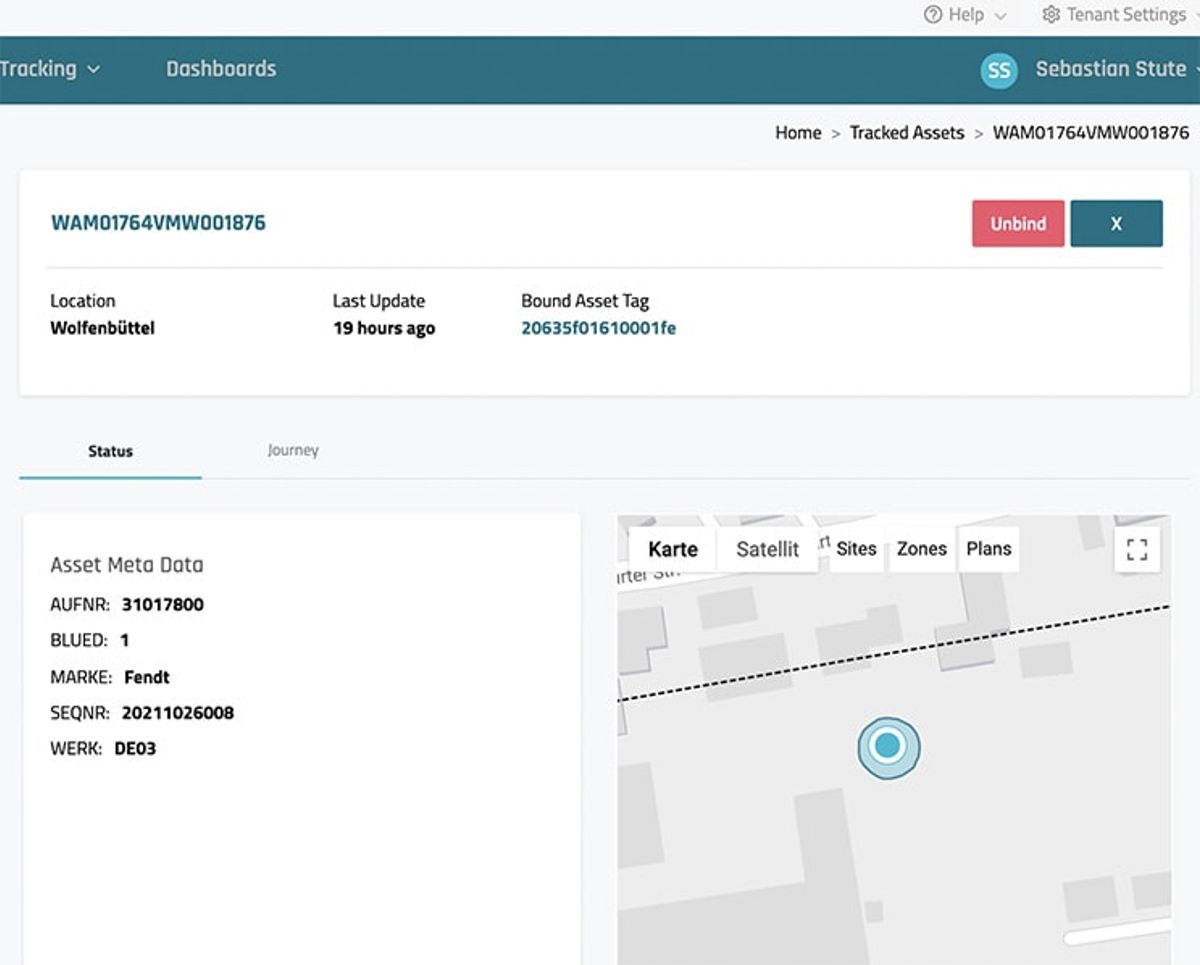
Imported and dynamically changed meta data are now displayed in the detail view of a tracked asset.
Asset Journey
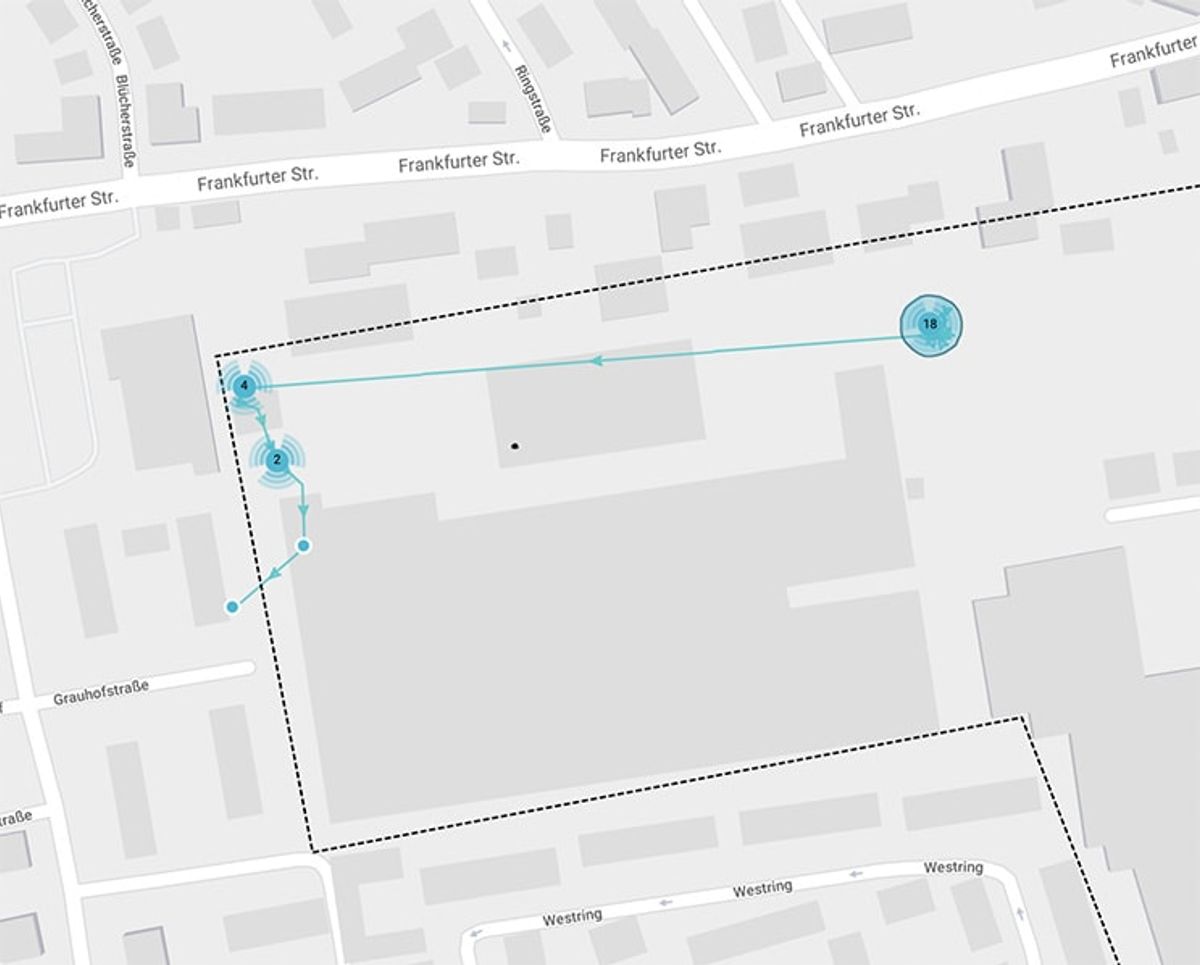
Through the journey, you can easily track movements between different plants, locations, or cities. The stations connected by directional arrows allow you to understand the asset's route at a glance. The journey table allows you to easily adjust the time period to be displayed.
LORIOT NETWORK CONNECTOR
The network traffic table shows all received uplinks and the downlinks sent to the device. The interface between the LORIOT LoRaWAN Network Server and thingsHub has been significantly improved. Downlinks are now set via the LORIOT API and therefore work much faster, more reliably, and more transparently.
USER MANAGEMENT & PLATFORM ADMINISTRATION
Various improvements have been made in the context of user management and platform administration:
- Each user can view, delete, or create new API keys in the web interface via the user menu
- The MQTT integration no longer sends the used user and their password
- Failed user logins and their reasons can now be viewed in the log files
Bug fixes
An incredible 51 bugs have been fixed in this version. You can find all the details in the release notes.
Learn more?
View release notes in online documentation.
Interested in an online demo?
[hubspot portal="1708887" id="34953ce8-c001-4a07-9316-f3a3daab0573" type="form"]